
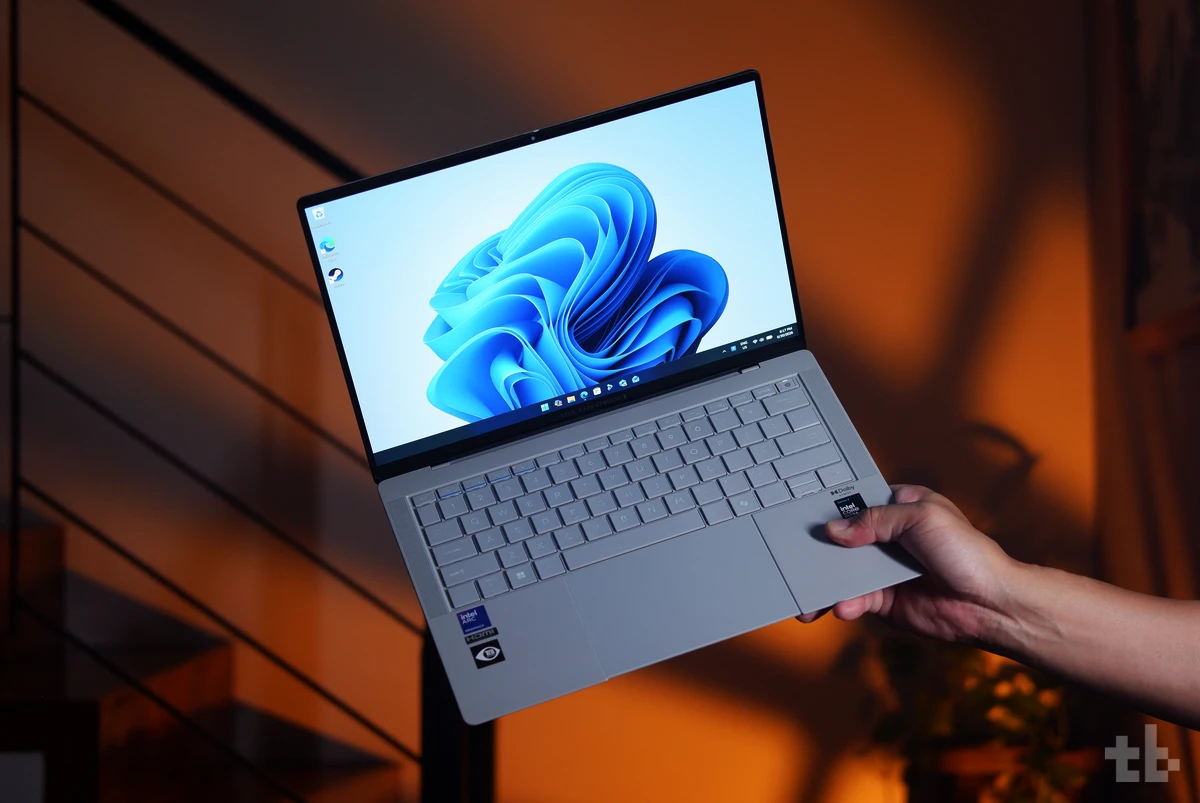
The ASUS ExpertBook Ultra has officially arrived in the Philippines. The flagship of the industry brings powerful performance in a compact, durable design.
With a 14‑inch 3K Tandem OLED touchscreen, up to an Intel Core Ultra X9-388H Series 3 processor, and a 70Wh battery, this ultrabook is built for professionals who need performance and toughness without sacrificing mobility.
The question now is simple: is it worth your money? Let’s find out.
Design & Display
The ExpertBook Ultra comes in a slim magnesium‑aluminum chassis with a 9H nano‑ceramic coating, making it tough, lightweight, and resistant to scuffs and scratches.
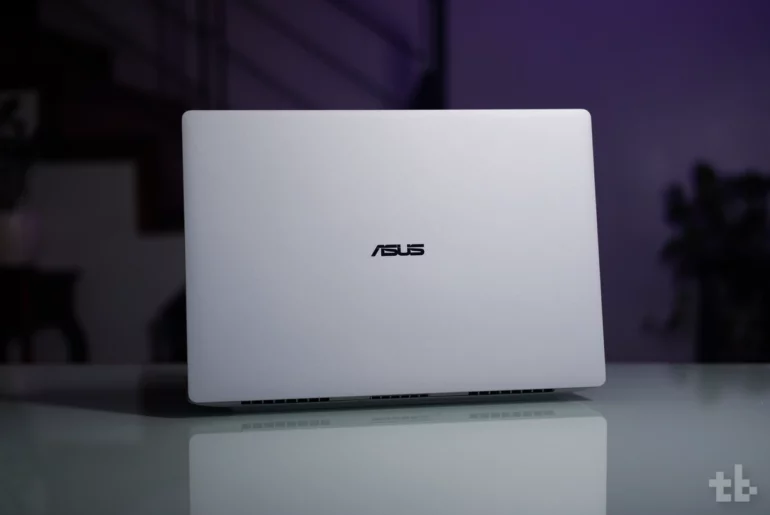
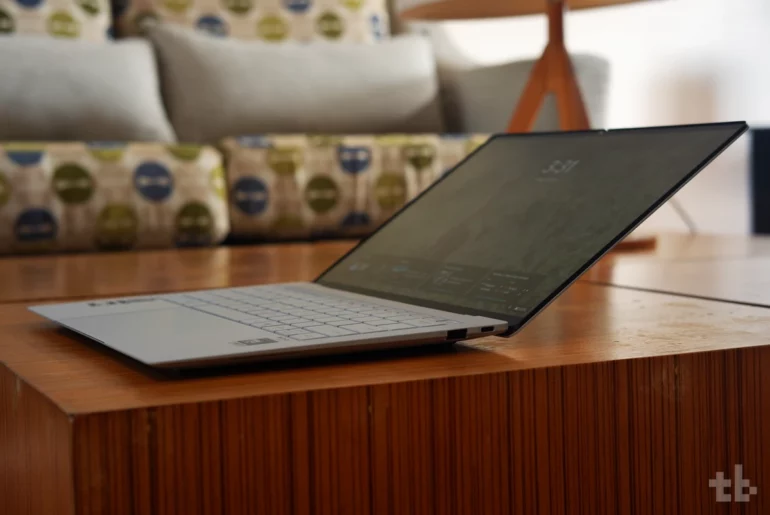
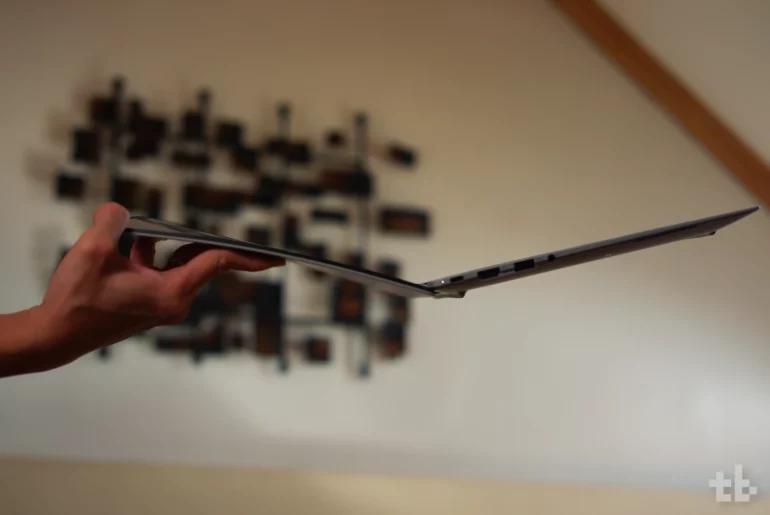
We love its modern look, clean lines, and overall minimalist aesthetic. At 12.24 x 8.38 inches and just 1.09 cm thin, it weighs only 1.09 kg (2.40 lbs). It’s one of the lightest work laptops around, light enough to slip into most bags and easy to carry around.
Durability is a major feature. The laptop meets US MIL‑STD 810H military‑grade standards, built to survive everyday accidents.
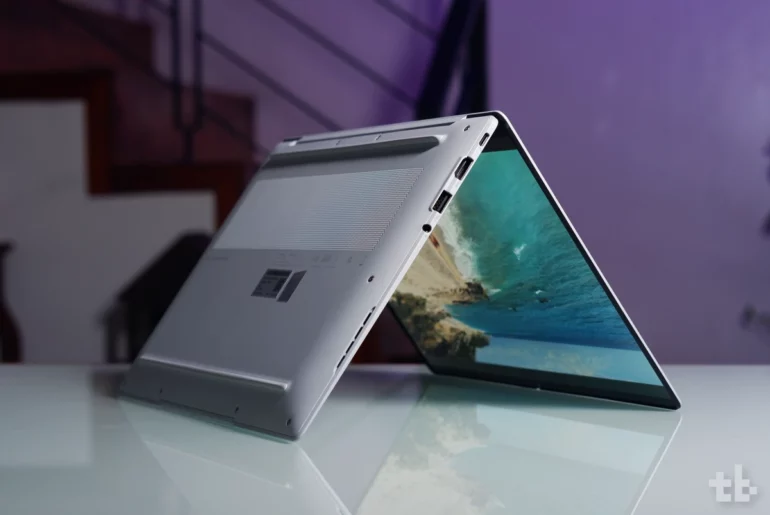
For this review, we put it to the test in common scenarios one could encounter in an office environment. We sat on it, closed the lid with a pencil inside, lifted it by the display, and even poured water over the keyboard. It handled everything without issue.
Our review unit featured a 14‑inch 3K Tandem OLED Anti-Glare touchscreen with a 120Hz refresh rate, 1,400‑nit peak brightness, and Gorilla Glass Matte protection. It’s one of the best screens we’ve seen. Colors are vivid, blacks are deep, and viewing angles are solid.
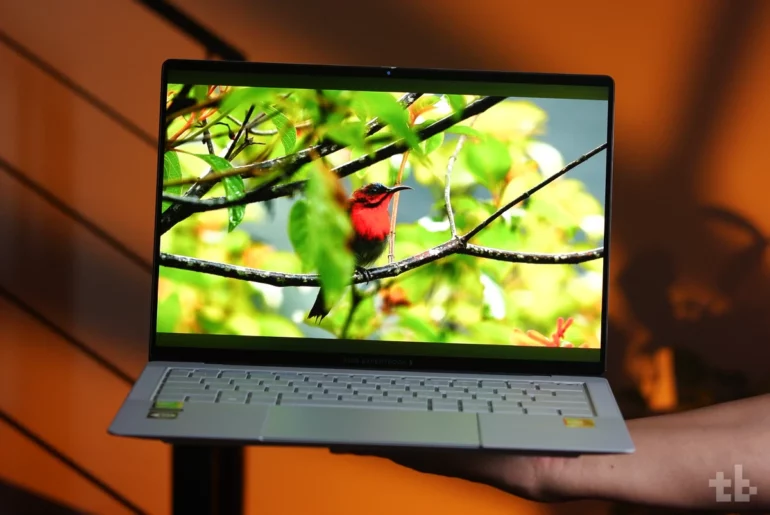
The panel supports 100% DCI‑P3, shows over 1.07 billion colors, and is both VESA Certified HDR True Black 1000 and PANTONE Validated for accuracy.
The screen doesn’t fold flat, but it tilts far enough for comfortable use. It also has slim bezels, which keep it compact. The matte finish helps reduce reflections and eye strain.
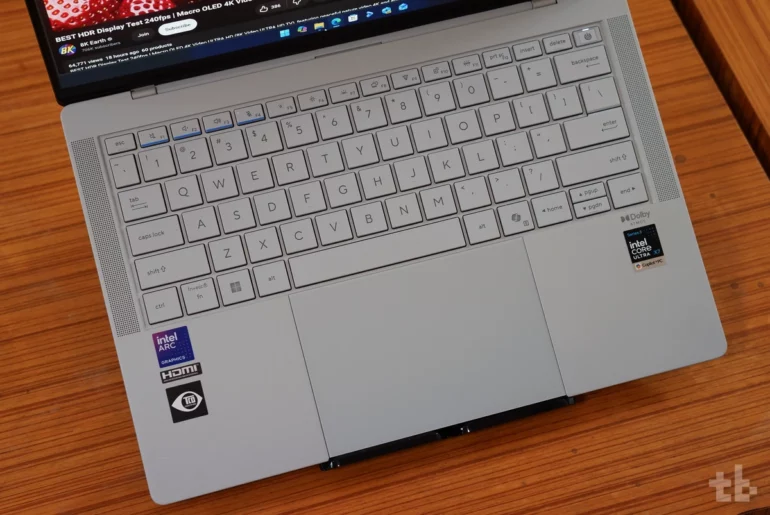
The chiclet keyboard includes a dedicated Copilot key for Copilot+ PC. It has bright and even backlighting. Typing feels great with 1.5mm travel, quiet operation, and a soft tactile response.
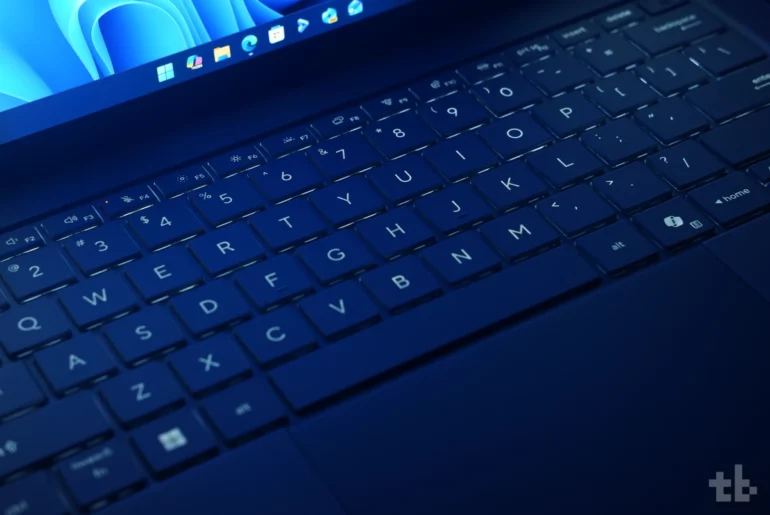
One thing we’ve noticed, though, is that under bright light with backlighting enabled, the key legends tend to blend with the keyboard color, making them harder to see. It’s not a deal breaker, but it’s something to keep in mind.
The glass touchpad is spacious, smooth, and haptic, which simulates physical clicks. We love using it. The 6-sensor haptics elevate the user experience. It also supports multi‑touch gestures and adds swipe controls for quick volume and brightness adjustments.
The six‑speaker Dolby Atmos System setup combines top‑ and bottom‑firing drivers, delivering sound that ranks among the best on Windows laptops. Audio is full and clear, with no distortion even at maximum volume.
I/O Ports
Despite its slim profile, the ExpertBook Ultra offers a solid set of ports. You get two Thunderbolt 4 USB‑C ports, two USB 3.2 Gen 2 Type‑A ports, an HDMI 2.1 port, and a 3.5mm audio jack.
That’s more than enough for most professionals. You can connect external displays, keyboards, and other peripherals without extra dongles.
Performance
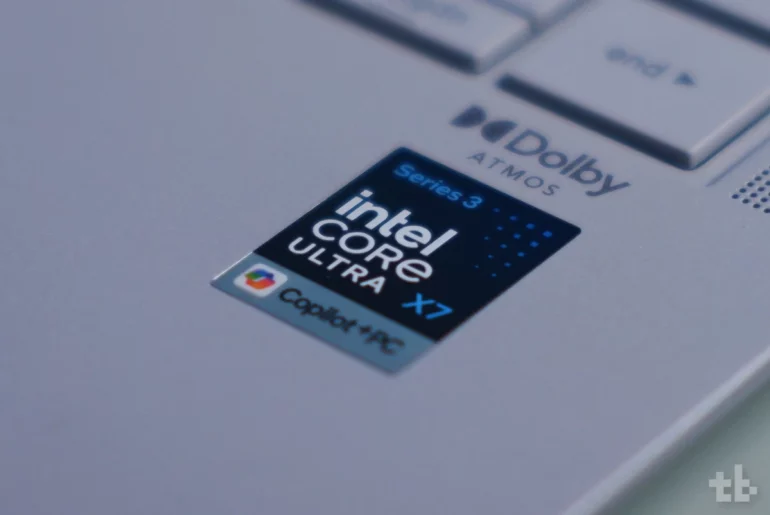
Our review unit came with an Intel Core Ultra X7 358H processor, a 50-TOPS NPU, 64GB LPDDR5X RAM, and a fast 2TB SSD. Everyday tasks like browsing, writing, editing, video playback, and multitasking run smoothly and snappily.
The laptop runs on Windows 11 Pro and includes ASUS MyExpert Suite, which brings AI features for work and productivity.
This is not a gaming laptop, but you can run most titles at low to medium settings. Thermals are controlled. Even under load, the laptop doesn’t get too hot or loud.
Benchmark scores back this up, all tested in Performance mode while plugged in:
- Cinebench R23 Single Core – 1,998
- Cinebench R23 Multi Core – 14,855
- Geekbench 6 (CPU) – 2,794 (single core), 16,273 (multi-core)
- Geekbench 6 (GPU) – 56,351 (OpenCL)
- PC Mark 10 – 8,722
- 3DMark Steel Nomad Light – 5,821 / 43.13 FPS (graphics test)
- CrystalDiskMark – 11,056.55 MB/s (read), 10,123.82 MB/s (write)
Battery
The ExpertBook Ultra runs on a 70Wh battery paired with a 90W charger. ASUS rates it for up to 26 hours of use.
In real-world testing, it lasted more than a full workday on a single charge — close to a day and a half even.
Charging is fast. It supports quick charging, reaching 50% in just 30 minutes.
Final Remarks
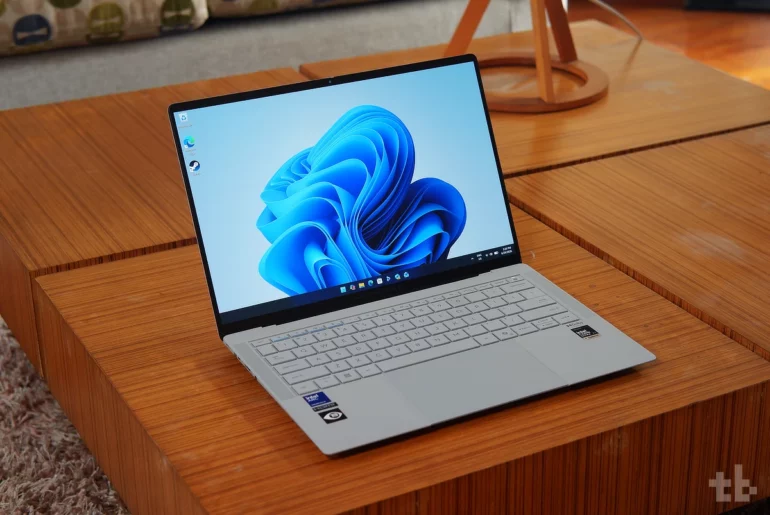
The ASUS ExpertBook Ultra stands out as one of the best business laptops available today. Living up to its title of Flagship of the Industry, it boasts an excellent display, solid sound quality, long battery life, and a durable build.
Sleek, portable, powerful, and packed into a slim chassis, the ExpertBook Ultra is a solid choice for anyone looking for a premium laptop that handles both work and play.
Price & Availability
The ASUS ExpertBook Ultra with an Intel Core Ultra 5 325 is priced at ₱129,995, while the top-tier variant with an Ultra X7 358H, 64GB of RAM and 2TB SSD, goes for ₱215,995.
Until July 31, the ultrabook is bundled with a free ASUS 100W GaN Charger and ₱10,000 worth of SSI Gift Vouchers (redeemed online).
For more information, check out the ExpertBook Ultra product page.
Where to buy:
- ASUS retailers: https://ph.asus.click/ExpertBookUltra-WheretoBuy
- ASUS Expert Store – Lazada: https://ph.asus.click/ASUSExpertBookStoreLazada
- ASUS Expert Store – Shopee: https://ph.asus.click/ASUSExpertBookStoreShopee
ASUS ExpertBook Ultra specs
- Display: 14-inch 3K Tandem OLED touchscreen, 2880×1800, 120Hz refresh rate, 1400 nits, 16:10 aspect ratio, VESA CERTIFIED Display HDR True Black 1000, Anti-glare Corning Gorilla Matte
- Processor: Up to Intel Core Ultra X9-388H with 50 TOPS NPU
- GPU: Intel Arc B390
- RAM: 64GB LPDDR5x
- Storage: 2TB M.2 SSD
- Camera: FHD webcam, IR, Windows Hello
- Connectivity: Wi-Fi 7, Bluetooth 6
- Ports:
- 2x Thunderbolt 4
- 2x USB 3.2 Gen 2 Type-A
- 1x HDMI 2.1 TMDS
- 3.5mmcombo jack
- Others: Backlit chiclet keyboard, six speakers with Dolby Atmos, Copilot Key, 2x multi-array mic, ASUS AI Noise-Canceling tech, six-sensor haptic glass touchpad
- OS: Windows 11 Home
- Color: Morn Gray, Jet Black
- Battery: 70WHrs 4-cell Li-Ion battery, 90W AC adapter
