
Adobe has rolled out new AI upgrades across Creative Cloud, bringing smarter tools to Lightroom, Premiere Pro, After Effects, Photoshop, and Illustrator. The update is designed to cut down repetitive work and make editing faster for creators.
In Lightroom, Assisted Culling is now available to help sort photos with Face View and Stacking. There’s also a new Photo to Video option that adds AI‑generated motion to stills, plus AI Sharpen powered by Topaz Labs. Support for Sony Alpha 7R VI RAW files has been added as well.
Premiere Pro gets faster AI masking and new effects like Channel Blur, Gradient, and Noise FX. Editors can also use dynamic transitions such as 3D Spinback and Slide. Audio tools are smarter with Global Audio Mute and A/V Display Mode, while workflow upgrades include Marker Search and a Sequence Index Panel.
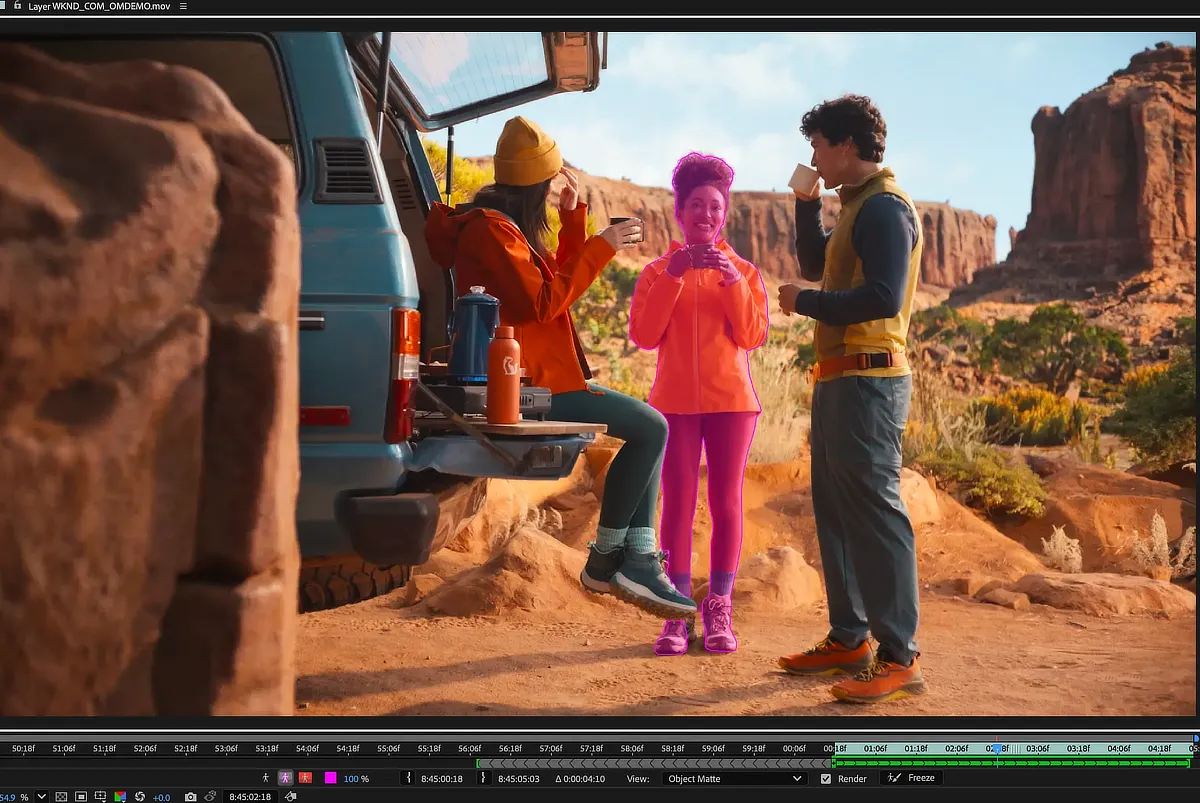
For motion graphics, After Effects introduces Object Matte, replacing the old Roto Brush with four AI‑powered selection tools. 3D features now include Displacement Maps and cinematic Depth of Field. Users can import SVG files as editable shape layers and copy directly from Illustrator.
Photoshop adds Reflection Removal, useful for cleaning up shots taken through glass. The Remove Tool now works offline with on‑device generative AI. Meanwhile, Illustrator debuts Concept to Vector, which turns sketches or low‑quality assets into clean, editable vectors.
Also Read: Adobe brings Photoshop, Express and Acrobat to ChatGPT
These updates are rolling out globally and will be available to Creative Cloud subscribers in the Philippines.


