
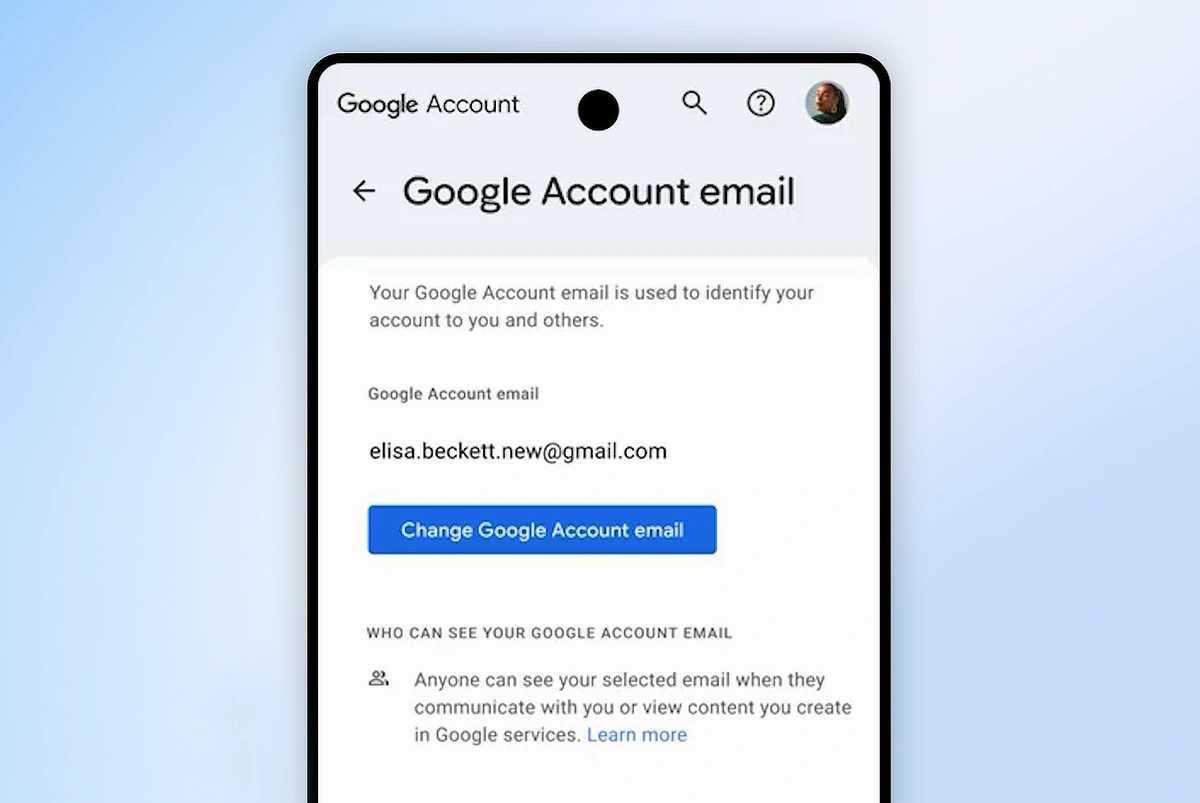
Google has rolled out a long‑requested feature: the ability to change your Google Account username, including your linked Gmail address. This update applies to personal accounts in the United States and will gradually expand worldwide.
Your Google Account username is the identifier used on Gmail, Drive, Photos, and other services. Until now, it was permanent once created.
With this change, users can update the part of their address that goes before @gmail.com, without losing access to files, emails, or photos. The old Gmail address automatically becomes an alternate email, ensuring messages sent there still arrive.
To change your username, go to myaccount.google.com under Personal info > Email. Select Change Google Account email, enter a new Gmail name that isn’t already taken, and confirm. Google advises backing up data first since some app settings could reset.
Also Read: Google expands Search Live to more countries
However, Google limits changes to once per year, and organizational accounts (work or school) will require admin approval.
What do you think of the update? Will you change your Google username? Or are you happy with your current @gmail.com identifier?
Source: 1
