HUAWEI and GCash have expanded Watch Pay to iOS, allowing iPhone users to make QR code payments using HUAWEI smartwatches and fitness bands. The feature was previously limited to Android and HUAWEI phones.
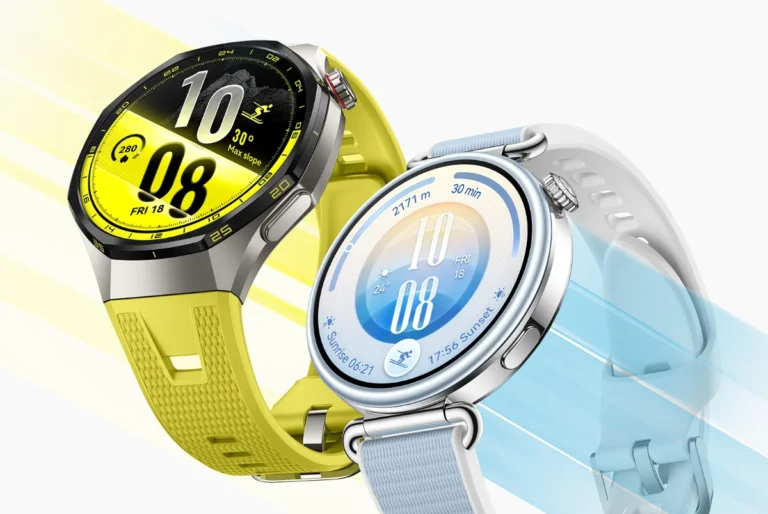
Now, users across all platforms can pay for daily purchases straight from their wrists. Supported devices include the HUAWEI WATCH GT4 and GT 5, WATCH FIT 3 and 4, WATCH D2, WATCH Ultimate, Band 10, and WATCH 5 (coming soon). Future wearables will also support the feature.
To set it up, users need to link their GCash account to their HUAWEI wearable through the HUAWEI Health app. Once connected, the watch displays a dynamic QR code that can be scanned for quick payments. The process works the same for iOS, Android, and HUAWEI phones.
This update makes cashless payments more flexible and accessible. Users no longer need to pull out their phone or wallet. It’s a simple way to pay while commuting, shopping, or running errands.
GCash is one of the most widely used finance apps in the Philippines. HUAWEI wearables are available online and in stores nationwide.
How to access GCash on HUAWEI smartwatches
For HUAWEI Smartphones:
- Log in to their HUAWEI ID on their HUAWEI phone. Make sure the region is set to the Philippines.
- Connect the HUAWEI Health app to the HUAWEI smartwatch.
- Open the GCash mobile app. Make sure the account is fully verified.
- On the HUAWEI smartwatch, navigate to Settings > Payment.
- Find and install the GCash app on the smartwatch, then open it.
- Enter the GCash PIN and scan the QR code displayed on the GCash mobile app.
- Select Bind on the GCash mobile app.
- Once the linking is successful, both the GCash mobile app and the smartwatch will display confirmation.
For iOS and Android Devices:
- Download the HUAWEI Health app from the smartphone’s app store.
- Create a HUAWEI ID through the HUAWEI Health app. Make sure the region is set to the Philippines.
- Connect the HUAWEI Health app to the HUAWEI smartwatch.
- Open the GCash mobile app. Make sure the account is fully verified.
- On the HUAWEI smartwatch, navigate to Settings > Payment.
- Find and install the GCash app on the smartwatch, then open it.
- Enter the GCash PIN and scan the QR code displayed on the GCash mobile app.
- Select Bind on the GCash mobile app.
- Once the linking is successful, both the GCash mobile app and the smartwatch will display confirmation