
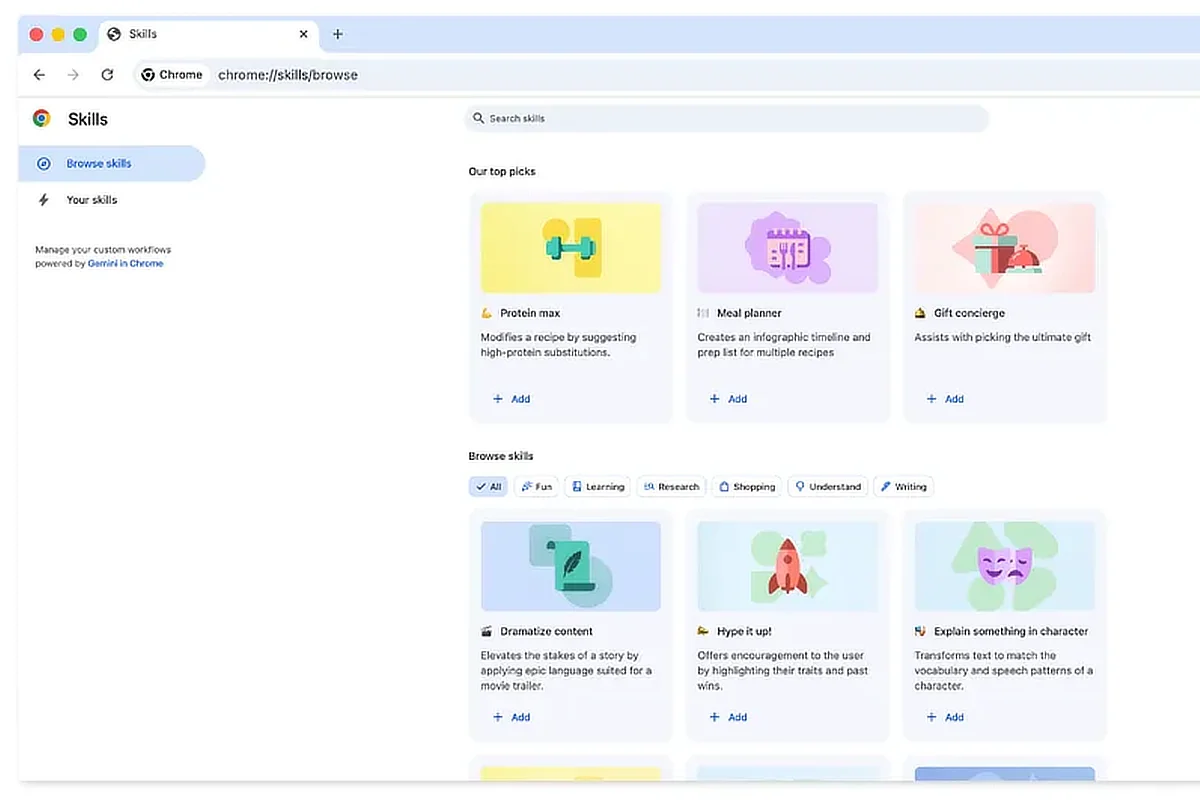
Google is rolling out a new feature in Chrome called Skills, designed to make AI prompts into one-click tools. The update is available on desktop through Gemini in Chrome, syncing across signed‑in devices.
Skills are saved prompts that act like shortcuts. Instead of retyping instructions, users can store them and run them with a single click. They can be used on the current page or across multiple tabs, making repetitive tasks faster.
Users can save prompts directly from chat history, access them by typing “/” or clicking the plus button, and edit or create new ones at any time. Google is also offering a library of ready‑made Skills for common tasks, such as comparing product specs, scanning documents, or breaking down recipe nutrition.
Skills aims to make workflows simpler and faster for everyday browsing. They help with shopping comparisons, productivity tasks, and even wellness tracking. For example, a saved Skill can quickly calculate protein macros or cross‑reference gift ideas with budget and interests.
Google says Skills are protected by Chrome’s safeguards. Sensitive actions, like adding calendar events or sending emails, will require confirmation. The feature also benefits from Chrome’s regular security updates.
Also Read: Chrome adds vertical tabs and immersive reading mode
Skills are rolling out now to Gemini in Chrome on desktop. Once saved, they sync across all signed‑in Chrome desktop devices.
