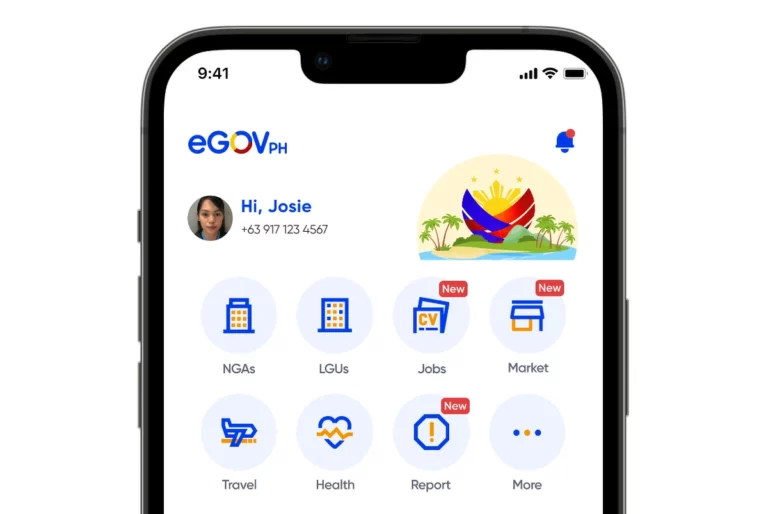
Good news, motorists! You can now renew your driver’s license online, straight from your smartphone via the eGovPH app.
The eGovPH app, available on Google Play Store, Apple App Store, and Huawei AppGallery, centralizes government services including renewals, clearances, and applications. Driver’s license renewal is the newest addition to its offerings.
How to renew your driver’s license on the eGovPH app
If you don’t have it yet, you will need to install the eGovPH app on your smartphone and open an account. You can use the instructions here to guide you. The app will require security verification for account protection.
Once the eGovPh app is installed and ready for use, here are the steps for online driver’s license renewal.


Steps to Renew Your Driver’s License via eGovPH
- Install and Set Up the App
If you don’t have the app yet, download the eGovPH app and create an account. Security verification is required for setup. - Begin the Renewal Process
Open the app and navigate to:
NGA > LTO > Online Driver’s License Application > Renew Your Driver’s License - Upload Required Documents
- Upload clear images of the front and back of your current, unexpired license.
- The system will scan and verify the card (takes about 1–3 minutes).
- Review your details, verify accuracy, and submit.
- Capture and upload a compliant ID photo within the app.
- Complete Medical Requirements
- Go to: NGA > LTO > Online Driver’s License Application > Complete your profile
- Book and attend an online telemedicine exam to obtain a Medical Certificate.
- Finish the Driver’s Enhancement Program (DEP)
- Access through the same section in the app.
- Complete the 5-hour online education module.
- Pay Renewal Fees Online
- Choose a payment gateway and settle the corresponding fees to complete your renewal.