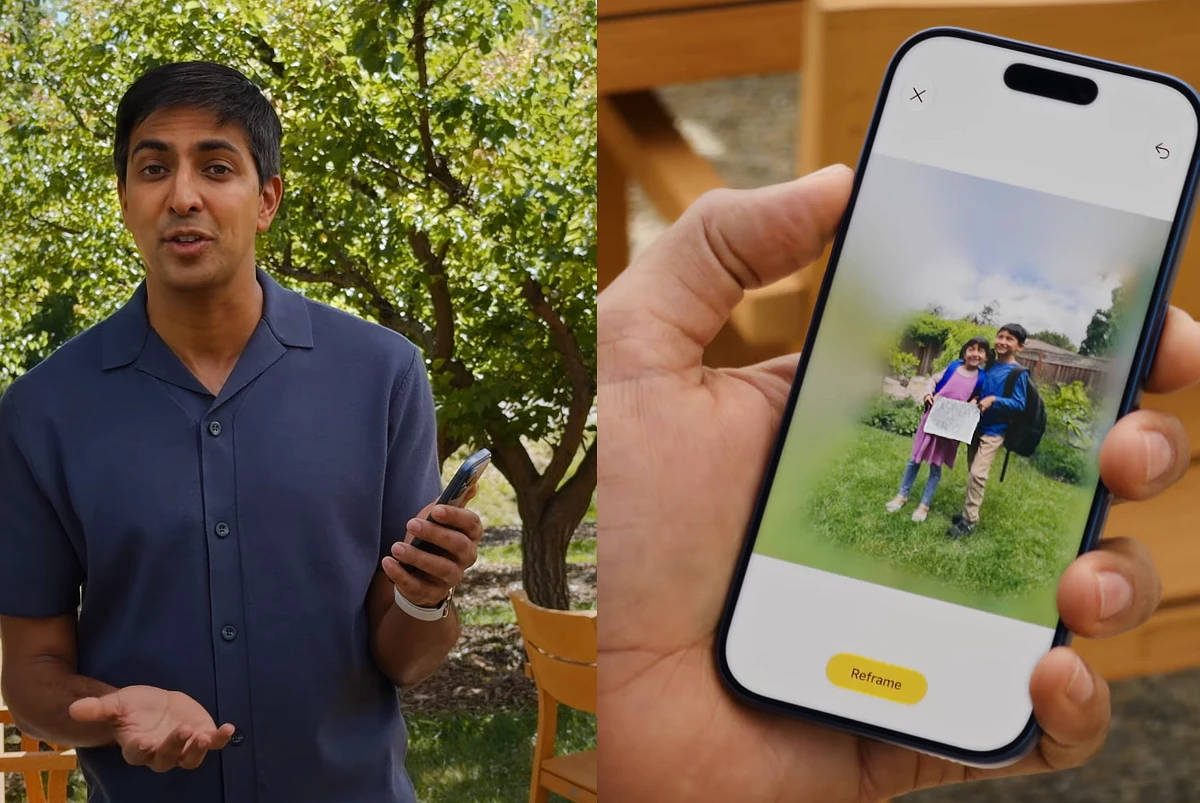
Apple is adding more editing power to iOS 27 with Spatial Reframing. The new tool in the Photos app lets you change a photo’s perspective after it’s taken. It works by combining on‑device spatial models with Apple’s Private Cloud Compute, filling in extended areas so edits look natural.
With Spatial Reframing, you can drag across an image to shift the camera angle in real time. Moreover, it’s not limited to new shots and works on older photos and even images taken with non‑Apple cameras. This makes it useful for anyone who wants more editing flexibility without needing pro‑level software.
Apple also announced two other tools alongside Spatial Reframing. The Cleanup tool removes unwanted objects or people with improved realism, even in busy backgrounds.
The Extend tool adds space around subjects or fills cropped edges, giving photos more breathing room. All three tools are grouped under a new Apple Intelligence editing section in the Photos app.
As always, privacy is Apple’s priority. Edits are processed securely, with no photos stored or shared outside the user’s control.
Also Read: Apple unveils Siri AI: Smarter, personal, and privacy‑first
Apple is rolling out Spatial Reframing and the new editing suite with iOS 27 later this year. The update will roll out to all iPhones currently running iOS 26, including the iPhone 11 series.
For the full list of supported devices, read our post here.