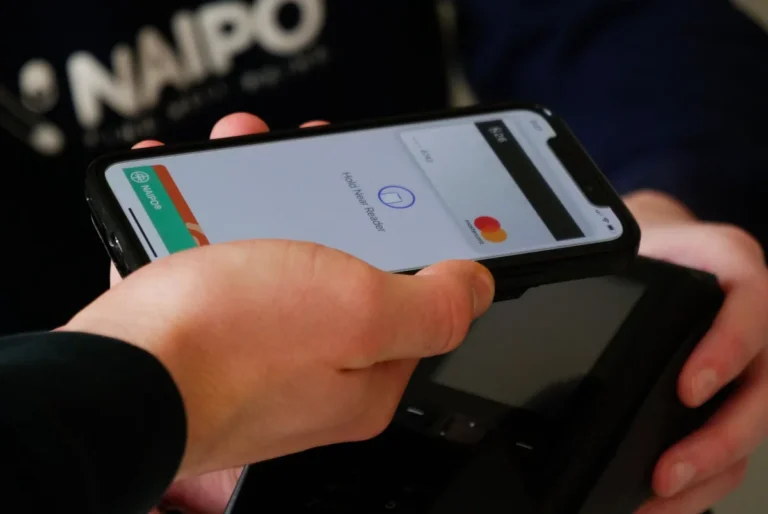
Apple Pay is now available in the Philippines, letting iPhone and Apple Watch users add supported debit and credit cards to the Wallet app for contactless payments. After months of speculation, the service has officially gone live.
Users in the country can now confirm that their Wallet app accepts eligible cards. This means payments at supported merchants are possible using Apple devices. The launch marks a major step in expanding digital payments in the Philippines.
For now, the Philippines has not yet been added to Apple’s official support page. Apple is expected to update the site soon with the full list of participating banks. Early reports confirm that several local banks are already working with Apple Pay, including Metrobank, Chinabank, Unionbank, and GotTyme Bank. More names will be announced in the coming days.
Also Read: Visa brings Google Pay to the Philippines
The rollout follows Google Pay’s entry into the country last year and GCash’s upcoming feature where users can link cards as a funding source.
How to Add a Card to Apple Pay
Adding a card to Apple Pay is simple:
- Open the Wallet app on your iPhone.
- Tap the Add (+) button.
- Choose Debit or Credit Card.
- Scan your card with the iPhone camera or enter details manually.
- Follow your bank’s verification steps, which may include SMS, phone call, or app confirmation.
Once verified, your card will be ready for use with Apple Pay. You can then pay in stores, apps, and online wherever Apple Pay is accepted.